From Vector-DB Sprawl to Centralized AI Data: Migrating to Azure HorizonDB
Migrate from vector DB sprawl to unified AI data with Azure HorizonDB. Your generative AI app is a Frankenstein's monster of databases.
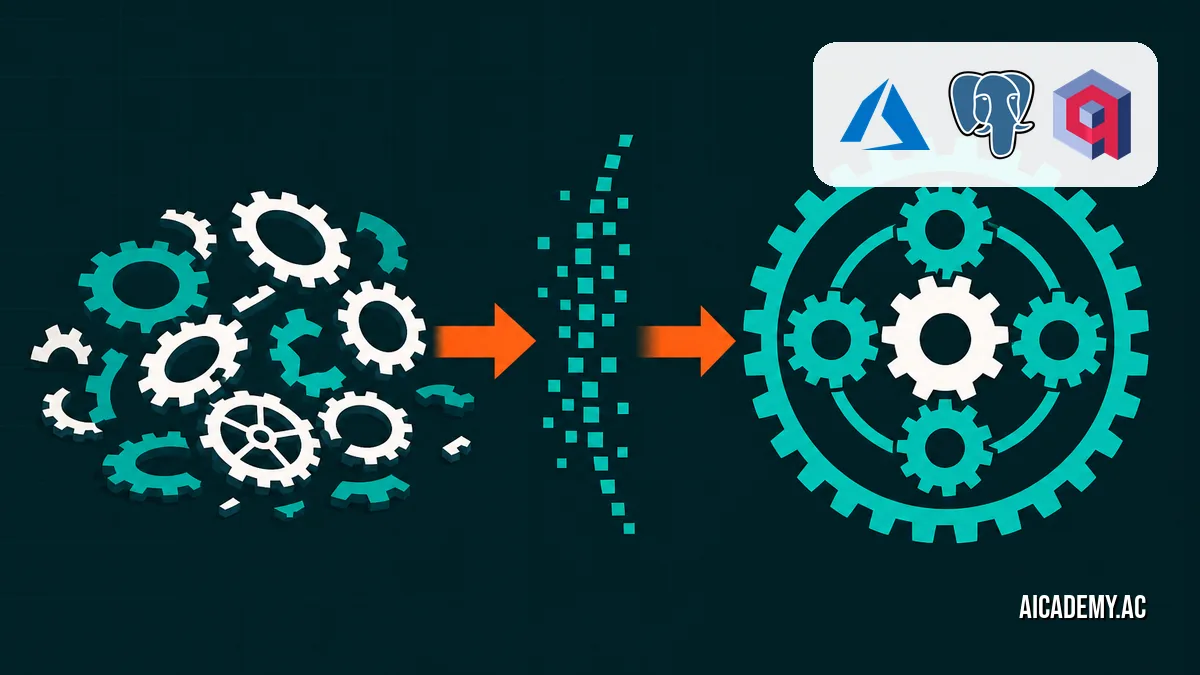
Your generative AI app is a Frankenstein’s monster of databases. A vector store for embeddings, a relational DB for metadata, and a key-value cache holding it all together with duct tape. This architectural debt, accrued during rapid prototyping, is now a production performance and complexity nightmare.
TL;DR: Managing separate vector, relational, and cache databases for a single AI application creates operational overhead and query latency. It’s an anti-pattern. This post provides a migration playbook for consolidating that sprawl into Azure HorizonDB, a managed, PostgreSQL 16-compatible service built for unified AI data workloads.
What you’ll walk away with:
- A clear diagram of the data sprawl anti-pattern.
- A step-by-step process for migrating relational and vector data into a single Postgres instance.
- A SQL query pattern for efficient, hybrid metadata filtering and vector search.
- A checklist for validating your migration.
What does the typical AI database sprawl look like?
The common architecture for AI applications starts simple but quickly fragments. Teams use a familiar relational database for user data, products, and metadata, then bolt on a separate, specialized vector database for semantic search or RAG. This results in two separate data sources, two query languages, and a complex application layer responsible for joining data across network calls.
graph TD
    subgraph "Application Logic"
        App["App Service (Python/Node.js)"]
    end

    subgraph "Data Tier (Fragmented)"
        VDB["Vector DB<br/>(Chroma, Weaviate, etc.)"]
        RDB["Relational DB<br/>(Postgres, MySQL)"]
        Cache["Cache<br/>(Redis)"]
    end

    App -- "Query Embeddings" --> VDB
    App -- "Fetch Metadata" --> RDB
    App -- "Cache Results" --> Cache
    RDB -- "Manual Sync?" -.-> VDB
This split architecture forces your application code to act as a distributed transaction coordinator without any of the guarantees. You query the vector database for a set of similar document IDs, then make a second, IN-clause-heavy query to the relational database to fetch the associated metadata. This round-trip is pure latency.
Don’t build applications that manually join data across different database systems over the network; it’s a recipe for inconsistent data and poor performance.
Why is a unified database better for AI workloads?
A unified database eliminates the network-as-a-join-key anti-pattern. By storing structured metadata and unstructured vector data in the same system, you can perform complex, hybrid queries in a single, atomic operation. This dramatically simplifies your application logic, reduces latency, and ensures data consistency.
The core component is the vector embedding, a numerical representation of text, images, or other data in a high-dimensional space. Storing these embeddings alongside the original data’s metadata in a single Postgres table is the key to unlocking efficient hybrid search. With an extension like pgvector, PostgreSQL becomes a first-class citizen for AI workloads, not just a metadata store. This is the foundation of services like Azure HorizonDB: The Cloud-Native PostgreSQL That Finally Scales for AI Workloads.
| Feature | Fragmented (Multi-DB) | Unified (HorizonDB) | Winner |
|---|---|---|---|
| Query Latency | High (multiple network hops) | Low (single DB query) | Unified |
| Data Consistency | Eventual, complex to manage | ACID-compliant | Unified |
| Dev Complexity | High (multiple clients/SDKs) | Low (single SQL client) | Unified |
| Operational Cost | High (N databases to manage) | Low (one managed service) | Unified |
| Best For | Quick POCs, isolated features | Production AI applications |
Consolidating data into a single database simplifies your stack, which directly translates to lower operational costs and fewer points of failure.
How do you migrate relational and vector data to HorizonDB?
The migration is a two-step process: move the relational data using standard tools, then write a simple script to stream vector embeddings into their new home. We’ll assume you’re migrating from a standard PostgreSQL instance and a local vector store.
The Painful ‘Before’: Application-Layer Joins
First, let’s look at the code we want to eliminate. The application logic is bloated with clients for two different databases and manually stitches the data together.
This is a simplified example showing the pattern. Production code would have more complex error handling, but the core logic of a two-step fetch remains the same.
Click to see the 'before' Python code (fragmented data access)
1
2
3
4
5
6
7
8
9
10
11
12
13
14
15
16
17
18
19
20
21
22
23
24
25
26
27
28
29
30
31
32

# app_before.py
import chromadb
import psycopg

# Client for vector database
chroma_client = chromadb.Client()
collection = chroma_client.get_collection(name="product_embeddings")

# Client for relational database
pg_conn = psycopg.connect("dbname=app_meta user=postgres ...")

def find_similar_products(query_embedding):
    # 1. Query the vector database
    results = collection.query(
        query_embeddings=[query_embedding],
        n_results=10
    )
    product_ids = results['ids'][0] # returns a list of string IDs

    if not product_ids:
        return []

    # 2. Query the relational database to get metadata
    with pg_conn.cursor() as cur:
        # This creates a big "IN" query, which can be inefficient
        cur.execute(
            "SELECT id, name, price, category FROM products WHERE id = ANY(%s)",
            (product_ids,)
        )
        products = cur.fetchall()

    return products
This two-hop query is what we’re going to fix.
The Clean ‘After’: Migration and Unified Query
Step 1: Migrate Relational Data
This is standard DBA work. Use pg_dump to export your schema and data, and pg_restore or psql to load it into your new HorizonDB instance.
1
2
3
4
5

# Dump only the data from your existing products table
pg_dump --host=old.db.host --username=postgres --table=products --data-only app_meta > products_data.sql

# Restore the data into your HorizonDB instance
psql "postgres://user:[email protected]/postgres?sslmode=require" < products_data.sql
Step 2: Add a Vector Column
Now, modify your table in HorizonDB to include a column for the embeddings. You’ll need the vector extension enabled.
1
2
3
4
5
6

-- This requires the pgvector extension to be created in your database first.
-- In Azure HorizonDB, this is a simple configuration step.
CREATE EXTENSION IF NOT EXISTS vector;

-- Add a column to store 384-dimensional embeddings (e.g., from all-MiniLM-L6-v2)
ALTER TABLE products ADD COLUMN embedding vector(384);
Step 3: Script the Vector Migration
Write a one-off script to read from your old vector store and UPDATE the rows in your new, consolidated table. This avoids complex export/import formats and gives you full control.
1
2
3
4
5
6
7
8
9
10
11
12
13
14
15
16
17
18
19
20
21
22
23
24
25
26
27
28
29
30

# migrate_vectors.py
import chromadb
import psycopg
import numpy as np
from psycopg.types.vector import register_vector

# Assume old_collection is your handle to the source vector DB
# Assume pg_conn is your connection to the new HorizonDB instance

# Critical for psycopg3 to handle numpy arrays for pgvector
register_vector(pg_conn)

def migrate_embeddings(old_collection, pg_conn):
    # Fetch all embeddings from the old store.
    # For large datasets, do this in batches.
    embeddings = old_collection.get(include=["embeddings"])
    ids = embeddings['ids']
    vectors = embeddings['embeddings']

    with pg_conn.cursor() as cur:
        # Use a transaction for the batch update
        with cur.connection.transaction():
            for i in range(len(ids)):
                product_id = int(ids[i])
                vector_array = np.array(vectors[i])
                cur.execute(
                    "UPDATE products SET embedding = %s WHERE id = %s",
                    (vector_array, product_id)
                )
    print(f"Successfully migrated {len(ids)} vectors.")
Step 4: Refactor Application Code
Finally, refactor your application code. You can now delete the vector database client entirely. The change is dramatic.
1
2
3
4
5
6
7
8
9
10
11
12
13
14
15
16
17
18
19
20
21
22
23
24
25
26
27
28
29
30
31
32
33
34
35
36
37
38
39
40
41
42
43
44

--- a/app_before.py
+++ b/app_after.py
@@ -1,30 +1,21 @@
-import chromadb
 import psycopg
+import numpy as np
+from psycopg.types.vector import register_vector

-# Client for vector database
-chroma_client = chromadb.Client()
-collection = chroma_client.get_collection(name="product_embeddings")

 # Client for relational database
 pg_conn = psycopg.connect("dbname=app_meta user=postgres ...")
+register_vector(pg_conn)

 def find_similar_products(query_embedding):
-    # 1. Query the vector database
-    results = collection.query(
-        query_embeddings=[query_embedding],
-        n_results=10
-    )
-    product_ids = results['ids'][0] # returns a list of string IDs
-
-    if not product_ids:
-        return []
-
-    # 2. Query the relational database to get metadata
+    # A single, efficient query to the unified database
     with pg_conn.cursor() as cur:
-        # This creates a big "IN" query, which can be inefficient
         cur.execute(
-            "SELECT id, name, price, category FROM products WHERE id = ANY(%s)",
-            (product_ids,)
+            """
+            SELECT id, name, price, category FROM products
+            ORDER BY embedding <=> %s
+            LIMIT 10
+            """,
+            (np.array(query_embedding),)
         )
         products = cur.fetchall()
You’ve replaced two network calls and manual data joining with a single, efficient database query. This is simpler to maintain, easier to reason about, and significantly faster.
Always use parameterized queries to pass embeddings to the database to prevent SQL injection, even if the vectors themselves are just numbers.
What does a unified hybrid query look like?
The real power of a unified database comes from hybrid search: filtering by exact metadata before performing the expensive vector similarity search. This is impossible with a fragmented architecture but trivial in HorizonDB.
Imagine you want to find products similar to a query, but only within the ‘electronics’ category and under $500.
1
2
3
4
5
6
7
8
9
10
11
12
13
14
15
16

-- $1 = your_query_embedding (e.g., [0.1, 0.2, ...])
-- $2 = 'electronics'
-- $3 = 500.00
SELECT
  id,
  name,
  price,
  category,
  embedding <=> $1 AS distance
FROM
  products
WHERE
  category = $2 AND price < $3
ORDER BY
  embedding <=> $1
LIMIT 10;
The PostgreSQL query planner is smart enough to apply the WHERE clause filters first, drastically reducing the number of vectors that need to be compared. According to Microsoft’s documentation, Azure HorizonDB Flexible Server offers zone-redundant high availability by default in supported regions, ensuring your unified database is resilient. This single query is faster and more efficient than any application-layer alternative.
Filter on structured metadata first, then rank by vector distance. This is the single most important query optimization for hybrid search.
Bottom Line
Stop treating your vector data as a separate, alien entity. The complexity of managing a fragmented data layer for your AI app is not worth the perceived benefits of a “specialized” vector store, especially for production workloads. Consolidate your relational metadata and vector embeddings into a single PostgreSQL instance like Azure HorizonDB from day one.
In the next post, we’ll cover advanced indexing strategies like HNSW to make these unified queries even faster at scale.
FAQ
Can’t I just use pgvector on my self-hosted PostgreSQL?
Yes, pgvector is an open-source extension. However, managed services like Azure HorizonDB handle the difficult parts like high availability, scaling, backups, and security patching, letting you focus on the application logic.
What is the performance impact of storing vectors in Postgres?
With proper indexing (like HNSW, available in pgvector 0.5.0+), performance for nearest-neighbor search is highly competitive with specialized vector databases. The benefit of single-query hybrid search often outweighs any minor difference in pure vector search latency.
How do I choose the right vector dimensions?
The dimensions are determined by the embedding model you use. For example, all-MiniLM-L6-v2 produces 384-dimensional vectors, while OpenAI’s text-embedding-ada-002 produces 1536. Your database column (vector(384)) must match your model’s output.
Does this unified approach work for multi-tenant applications?
Yes, it’s ideal for them. You can add a tenant_id column to your table and include it in your WHERE clause (WHERE tenant_id = $4) to ensure strict data isolation at the database level for all queries, both relational and vector.
What if my vectors don’t fit in memory?
This is where pgvector’s HNSW index support on Postgres 16 shines. It uses a graph-based algorithm that is efficient even when the index is larger than available RAM, which is a common challenge with large-scale vector workloads.
Part of the series: horizondb-ai-postgres
- Azure HorizonDB: The Cloud-Native PostgreSQL That Finally Scales for AI Workloads
- From Vector-DB Sprawl to Centralized AI Data: Migrating to Azure HorizonDB (you are here)
- Is Your AI Database Ready for Production Scale? A 5-Minute HorizonDB Checklist
Further Reading
🚀 Ready to get hands-on? Spin up an interactive AI or Kubernetes Sandbox at Aicademy Labs for free.