Docker's 'Minimal Image' Myth: Why Alpine Isn't Always Your Smallest or Safest Bet
Don't blindly trust Alpine for Docker images. This post debunks the myth, showing why other base images offer superior security, smaller final sizes, and
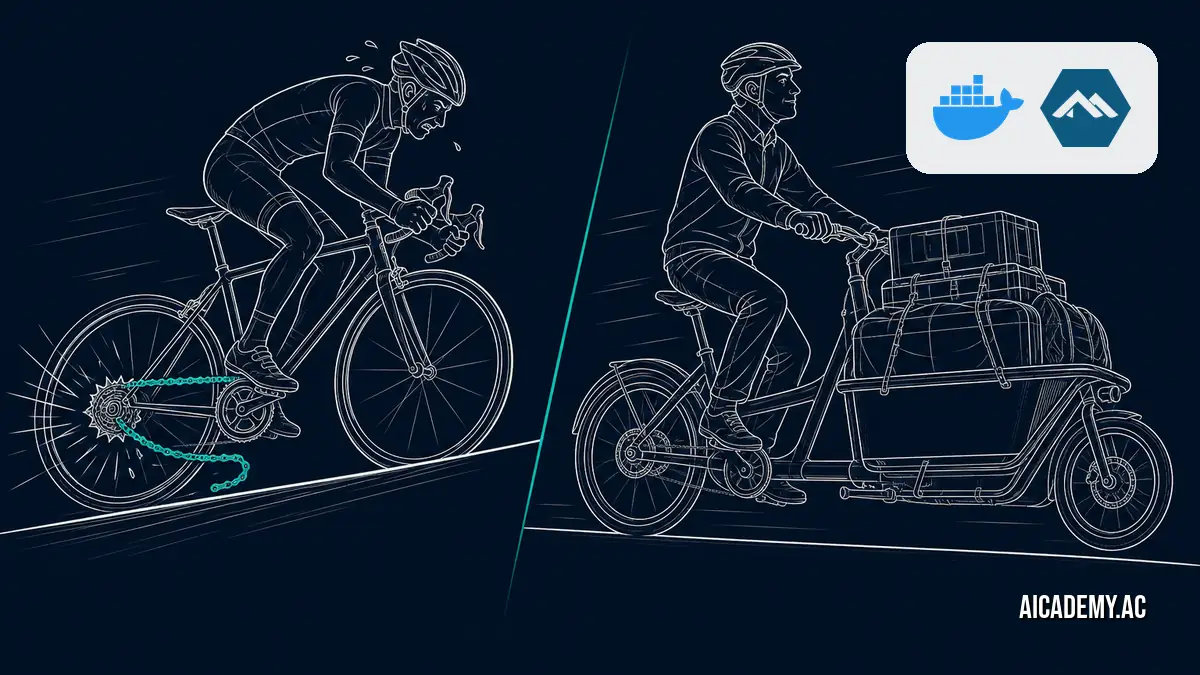
Myth: Alpine Linux always creates the smallest, most secure Docker images. We’ve all done it—reached for FROM alpine:latest as a default reflex for “minimal” containers. The hard truth is that for many modern applications, this choice is suboptimal and sometimes outright wrong.
TL;DR: The tiny size of the Alpine base image is a red herring. The choice of C standard library (
muslvs.glibc) creates subtle but critical compatibility issues, and complex builds can easily produce a final Alpine image larger than a Debian Slim equivalent. This post gives you a practical framework for choosing the right base image, focusing on final size, security, and runtime compatibility.
Choosing the right base isn’t just about the number you see from docker images. It’s about attack surface, build time, and avoiding “it works on my machine” bugs that are actually libc incompatibilities in disguise.
Why Isn’t Alpine Always the Smallest Image?
The final image size is determined by all layers combined, not just the base. While Alpine’s base layer is a mere ~8 MB, its apk package manager often requires a larger set of build-time dependencies for compiling common libraries compared to Debian’s apt. If these aren’t meticulously cleaned up in a multi-stage build, they bloat the final image beyond its “slim” counterparts.
A multi-stage build is a Dockerfile pattern that uses one container image for compiling and building artifacts (the “builder” stage) and a separate, clean image for the final runtime, copying only the necessary application files over.
Consider building a simple Python application that uses the cryptography library, which has C extensions.
Click to view the full Dockerfile comparing Alpine vs. Debian Slim
1
2
3
4
5
6
7
8
9
10
11
12
13
14
15
16
17
18
19
20
21
22
23
24
25
26
27
28

# ---- Alpine Build Stage (often results in a LARGER final image) ----
FROM python:3.11-alpine AS builder-alpine
WORKDIR /app
RUN apk add --no-cache build-base libffi-dev openssl-dev
COPY requirements.txt .
RUN pip install --no-cache-dir -r requirements.txt

# ---- Alpine Final Stage ----
FROM python:3.11-alpine AS final-alpine
WORKDIR /app
COPY --from=builder-alpine /usr/local/lib/python3.11/site-packages /usr/local/lib/python3.11/site-packages
COPY . .
CMD ["python", "app.py"]


# ---- Debian Slim Build Stage (often results in a SMALLER final image) ----
FROM python:3.11-slim AS builder-debian
WORKDIR /app
RUN apt-get update && apt-get install -y --no-install-recommends build-essential
COPY requirements.txt .
RUN pip install --no-cache-dir -r requirements.txt

# ---- Debian Final Stage ----
FROM python:3.11-slim AS final-debian
WORKDIR /app
COPY --from=builder-debian /usr/local/lib/python3.11/site-packages /usr/local/lib/python3.11/site-packages
COPY . .
CMD ["python", "app.py"]
Let’s build both and check the sizes.
1
2
3
4
5
6
7

# First, create a dummy app.py and requirements.txt
echo "import cryptography" > app.py
echo "cryptography" > requirements.txt

# Build both variants
docker build --target final-alpine -t myapp:alpine .
docker build --target final-debian -t myapp:debian .
Now, inspect the resulting images. The results are often surprising.
1

docker images myapp
1
2
3

REPOSITORY   TAG      IMAGE ID       CREATED          SIZE
myapp        debian   a1b2c3d4e5f6   10 seconds ago   135MB
myapp        alpine   f6e5d4c3b2a1   25 seconds ago   142MB
The Alpine image is larger because apk had to pull in a wider net of -dev packages to compile the C extensions, which then inflated the copied site-packages directory. This is a common pattern for many applications in Python, Ruby, and Node.js.
For any application requiring compiled dependencies, benchmark a multi-stage build against both Debian Slim and Alpine before committing. The results often defy conventional wisdom.
What’s the Real Compatibility Risk with Alpine?
The most significant risk with Alpine isn’t size, but its C standard library. Alpine uses musl libc, a lightweight C library designed for static linking, while almost every other major Linux distribution (Debian, Ubuntu, RHEL) uses the GNU C Library, glibc. This difference is the source of countless subtle bugs.
Many pre-compiled binaries and wheels you download from package managers are built and tested exclusively against glibc. When you try to run them on a musl-based system like Alpine, they can fail at runtime with cryptic errors about missing symbols.
A classic example is the manylinux wheel tag in the Python ecosystem. These wheels are designed for maximum compatibility across glibc-based Linux distros. An equivalent musllinux tag exists, but it’s less common, forcing you to compile the package from source during your Docker build—a slow, fragile, and error-prone process. This can turn a simple pip install into a major engineering task, and it’s a trap many teams fall into. For more ideas on improving Docker builds, check out this guide on using AI agents to shrink image sizes.
Default to a
glibc-based image like Debian Slim unless you have explicitly verified that your entire dependency tree and all its transitive dependencies havemusl-compatible distributions or build cleanly.
When Should You Use Distroless Instead of Alpine?
Use a distroless image when your application is a single, self-contained binary, like those produced by Go. A distroless image, popularized by Google, contains your application and its immediate runtime dependencies, but nothing else. There is no shell, no package manager, and no other utilities that could be exploited.
This diagram shows the conceptual difference in layers.
graph TD
    subgraph "Alpine Image"
        A_Shell["/bin/sh (ash)"]
        A_Pkg["apk package manager"]
        A_Libs["musl libc + utils"]
        A_App["Your Application"]
    end
    subgraph "Distroless Image"
        D_Libs["glibc or static"]
        D_Certs["SSL certs"]
        D_App["Your Application"]
    end

    A_Shell -- "Potential attack vector" --> A_App
    A_Pkg -- "Potential attack vector" --> A_App
    A_Libs --> A_App

    D_Libs --> D_App
    D_Certs --> D_App
Here’s how you’d modify a Go application’s Dockerfile to use a distroless base image.
1
2
3
4
5
6
7
8
9
10
11
12
13
14
15
16
17

--- a/Dockerfile.old
+++ b/Dockerfile.new
@@ -1,13 +1,12 @@
 # build stage
 FROM golang:1.21-alpine AS builder
 WORKDIR /app
 COPY . .
-RUN CGO_ENABLED=0 GOOS=linux go build -o myapp .
+RUN CGO_ENABLED=0 go build -o myapp .

 # final stage
-FROM alpine:latest
+FROM gcr.io/distroless/static-debian12
 WORKDIR /root/
 COPY --from=builder /app/myapp .
 CMD ["./myapp"]
-
The resulting image is as small and secure as it gets. It contains only your compiled code and the bare minimum needed for it to execute, per the official distroless philosophy.
For single-binary applications, distroless is not just an option; it should be your default. It provides the smallest possible attack surface.
How Do You Choose the Right Base Image?
Start with Debian Slim for general-purpose services, especially those written in interpreted languages. Only deviate if you have a specific, measurable reason. Use this table as a guide.
| Base Image | Typical Final Size | Compatibility | Security Footprint | Best For |
|---|---|---|---|---|
| Debian Slim | Medium (90-200MB) |
Excellent (glibc) |
Small | Winner: General purpose web apps (Python, Node, Ruby, Java). The safe default. |
| Alpine | Smallest* (70-150MB) |
Risky (musl) |
Smallest* | Resource-constrained IoT; simple C/C++ apps; teams who have verified musl compatibility. |
| Distroless | Small (2-50MB) | Application-specific | Minimal (no shell) | Single, statically-linked binaries (Go, Rust, C++). |
Here is a checklist to run through for your next project:
- Is my application a single, statically-linked binary? If yes, use distroless.
-
Does my application or its dependencies rely on pre-compiled binaries that expect
glibc? (e.g., many Python wheels). If yes, use Debian Slim. - Have I benchmarked my multi-stage build’s final image size with both Alpine and Debian Slim?
-
Is the difference in final image size (>20MB) significant enough to justify the compatibility risk of
musl?
This decision-making process is a key part of the modern, cloud-native toolchain that has evolved far beyond Docker’s initial engine.
Bottom Line
Stop treating FROM alpine as a magic incantation for small, secure images. It’s a specialized tool with sharp edges. For most web applications and services, a multi-stage build based on debian:slim provides a superior balance of size, security, and—most importantly—glibc compatibility that prevents an entire class of “works on my machine” bugs.
FAQ
Is Alpine Linux less secure than Debian?
Not inherently. Its smaller package set can mean a smaller attack surface. However, the operational risk comes from the musl/glibc incompatibilities, which can force developers into insecure workarounds like compiling dependencies from untrusted sources or disabling security features to get things working.
What is the difference between musl and glibc?
They are two different implementations of the standard C library (libc). glibc is the standard on most major Linux distributions and is what most pre-compiled software targets. musl is a lightweight alternative used by Alpine, designed for static linking and smaller binaries, but this specialization causes compatibility issues.
Can you run Java on a distroless image?
Yes. Google provides distroless images specifically for Java (gcr.io/distroless/java-base or gcr.io/distroless/java). These images contain the Java Runtime Environment (JRE) but still omit the shell and other unnecessary OS tools, providing a significant security benefit over a standard base image.
Why is my Alpine image sometimes bigger than my Debian image?
This usually happens in a multi-stage build. To compile certain dependencies (like Python wheels with C extensions), Alpine’s apk may need to install a larger set of -dev packages than Debian’s apt. When you COPY --from=builder, the resulting application directory is larger, making the final image bigger despite Alpine’s smaller base.
Does Docker Desktop’s AI model runner work better with a specific base image?
Yes, it often does. Many popular AI and ML libraries, like TensorFlow and PyTorch, distribute heavily optimized, pre-compiled binaries that are built against glibc. Using a glibc-based image like Debian Slim or Ubuntu ensures you can leverage these official binaries directly, which is a key consideration when you run LLMs locally with Docker Desktop.
Further Reading
- https://docs.docker.com/build/building/base-images/
- https://github.com/GoogleContainerTools/distroless
- https://www.docker.com/blog/container-security-best-practices/
🚀 Ready to get hands-on? Spin up an interactive AI or Kubernetes Sandbox at Aicademy Labs for free.